Wixeyintelligent woodworking
SHIP-PAY-WARRANTY CONTACT US
Wixey Remote Digital Readout Menu
Product Info
Will It Fit My?
Technology
How To Use
Buy Now
Gallery
Spare Parts
FAQ
Owner's Manual
Wixey Remote Digital Readout
How To Use: Wixey Remote Digital Readout
 
Wixey digital display
on/off
Short Press
Turns the display on or off. When turned off the readout retains the calibration for 6 hours and partially conserves battery life.

Press And Hold
Press and hold for 5 seconds and the display turns off completely and does not retain the calibration. This completely conserves battery life.

Auto Shut Off
After 30 minutes the display shuts off but retains calibration. After 6 hours the system shuts down completely, losing calibration but conserving battery life.

  in/mm
Switches from inches to millimeters

zero
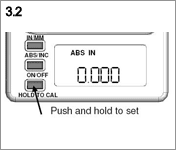
Sets display to 0.000


3 Easy Steps

Step 1. Attach the scale and sensor

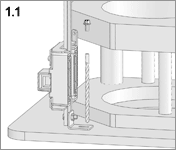
1.1 Find a suitable location to attach the scale and sensor.
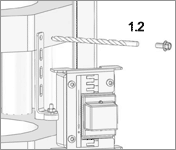
1.2 Center punch and carefully drill 5/16" deep into the carriage using the 3.5mm drill bit provided
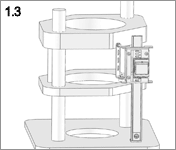
1.3 Center punch and carefully drill 5/16" deep into the top plate
Attach the "L" bracket to the top plate using one of the M4 thread forming screws
 

Step 2. Attach the display

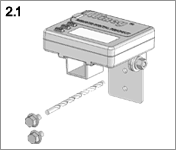
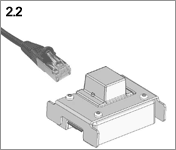
2.1 Connect the plug from the display box into the socket on the sensor
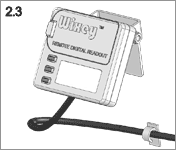
2.2 Find a suitable location to attach the display
 

Step 3. Calibrate and start making chips

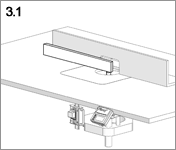
3.1 Using a straight edge, set the tip of your bit level with the table top and calibrate the readout to 0.000"